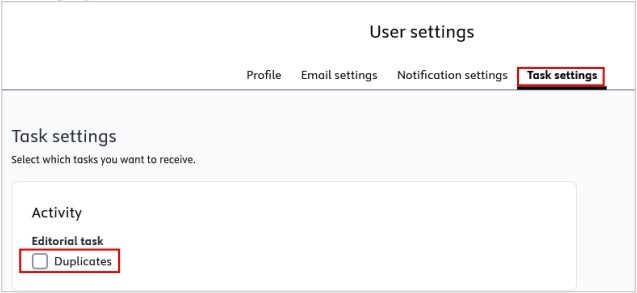
2.3. Task Settings

You can manage the notifications that Pure automatically sends you when a specific task occurs.

Here is an example of a task notification:
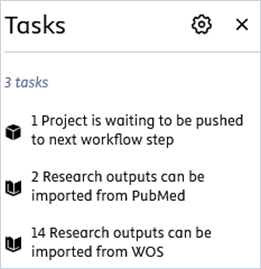
Ein Bild, das Text, Screenshot, Schrift, Zahl enthält.

KI-generierte Inhalte können fehlerhaft sein.


To manage the task settings:

1.     Click on Profile menu in the header and select User settings:
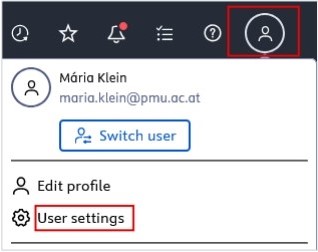
Bild 1.jpeg


2.     Navigate to Task settings and select the event(s) you wish to modify.

3.     Select the desired frequency.

Bild 5.jpeg

4.     Click Save to apply the changes.


Revision #2
Created 2025-09-16 08:56:58 UTC by maria.klein
Updated 2025-09-16 08:59:24 UTC by maria.klein