Editors are provided with special roles. Check if all these **roles** are related to your PURE profile. If any role is missing, please contact the Research Management (RM) at [pure@pmu.ac.at](mailto:pure@pmu.ac.at).
You can check your roles by clicking on your username and then selecting *User settings* option: [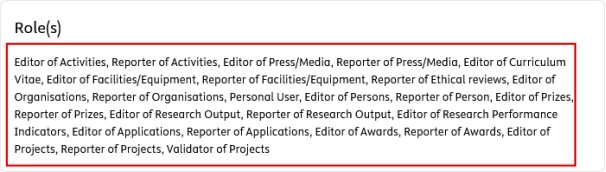](https://wiki.pmu.ac.at/uploads/images/gallery/2025-09/8chbild-1.jpeg) # 1.2. Important for PURE-Editors As an editor you have the authority the **view, create, edit, and delete** records for your organisational unit. As an editor you are also **responsible for the completeness of the data** (e.g., research outputs, applications, etc.) **for your organisational unit**. To keep our workflow steps as simple as possible and maintain data quality, **RM is responsible for validating and approving research outputs, and awards.**When creating a new research output, or award for your organisational unit in PURE, always set the **workflow** status to **Entry in Progress** or **For validation** or **For approval**, never select Validated or Approved. Once a record has undergone the validation process, don’t make any changes to it. If you need modifications (e.g. because of incorrect data), you can write a comment on the record (under the History and comments tab). If you make any modifications to a record after the validation process, the RM will not take responsibility for the correctness of the data.
# 1.3 Responsibilites of Pure Editors Here you can find a list of **responsibilities of Pure Editors:** - **Recording and updating various research activities** of researchers within their organisational unit (OU), e.g. publications, applications and other research activities. For further details, please refer to the [Manual for researcher.](https://wiki.pmu.ac.at/books/manual-for-researchers)Pure Editors have permission to record and update research activities on behalf of researchers within their OU. However, researchers can also enter and manage their own research activities in Pure. Therefore, data entry can be carried out either by the researchers themselves or by the responsible Pure Editors. **Research Management (RM) is not responsible for recording research activities in Pure.**
- **Creating personal profiles for new staff members** and **managing existing profiles** within their OU. Step-by-step instructions with screenshots can be found [here](https://wiki.pmu.ac.at/books/manual-for-pure-editors/page/32-persons). - **Recording scientific events** organised by their OU. You can find detailed step-by-step instructions, including screenshots [here](https://wiki.pmu.ac.at/books/manual-for-pure-editors/page/33-scientific-events). - **Updating the status of applications** and serving as a contact person for third-party funding-related questions. Researchers do not have permission to update the status of funding applications in Pure (e.g., to change the status to “Awarded”). Detailed information on application statuses can be found [here](https://wiki.pmu.ac.at/books/manual-for-pure-editors/page/311-addition-to-applications-awards-and-projects). If any questions regarding third-party funding arise, RM will contact the responsible Pure Editor for clarification. - **Validating projects** (to make a project visible in the Pure Portal). You can find detailed information on how to validate projects [here](https://wiki.pmu.ac.at/books/pure-faqs-english/page/question-3-i-have-entered-a-research-project-in-pure-but-it-does-not-appear-in-the-pure-portal-what-should-i-do). - **Reviewing and checking the data** recorded for their OU, particularly in preparation for the annual Research Report. During the preparation of the annual Research Report, all OU heads and Pure Editors receive an excerpt showing which data will be included in the report and how they will be presented. They have the opportunity to review the data and provide feedback before the final results are confirmed. - **Other tasks**, e.g. assigning publications to a FIZ or research topics. These tasks are usually communicated by RM via email.