1. Check Your Content
- 1.1. Global Search
- 1.2. Search Within a Content Type
- 1.3. Filter Within a Content Type
- 1.4. Sort by Within a Content Type
- 1.5. View Types Within a Content Type
- 1.6. Export a List Within a Content Type
1.1. Global Search
This searches through metadata of all records and content types available in PURE:

1.2. Search Within a Content Type
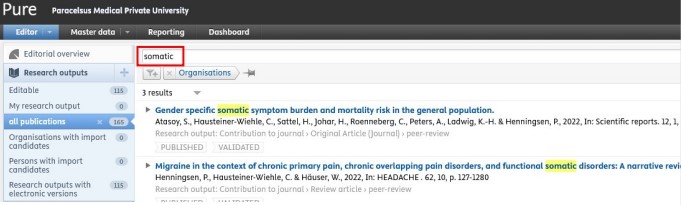
Click on, for example, Research outputs on the left navigation to open the content list view with search functionality:
1.3. Filter Within a Content Type
After choosing, for example, Research outputs, navigate, for example to the category 'all publications ', click on the Add filter icon and select from the available filter options (e.g. 'Author collaborations'):
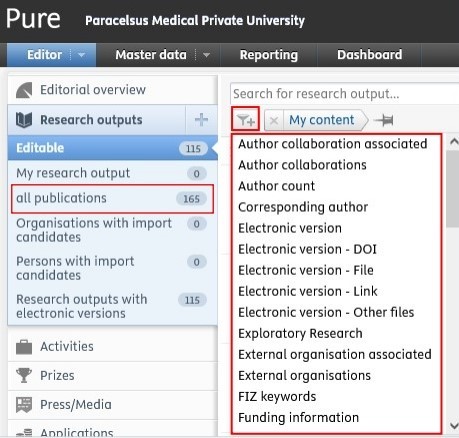
You can add multiple filters if you need to.
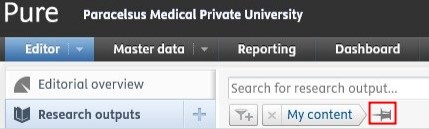
If you wish to use specific filters regularly, you can click on the pin icon 
to save the filter. By doing so, you can save time and easily filter content you need:
1.4. Sort by Within a Content Type
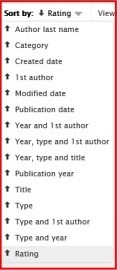
After obtaining a list of records within, for example, Research outputs, there is the possibility to sort the records by several options (e.g. title, type, etc.):
1.5. View Types Within a Content Type
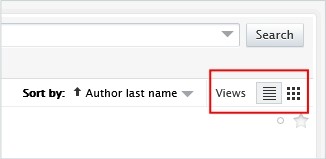
For exampe, for Research outputs, you can choose from the list view or the matrix view to visualise your data:
1.6. Export a List Within a Content Type
For example, for Research outputs, on the bottom of the page, you can select your preferred file type for export:

If you need a habil list (in Geman: "Habilationsauszug") including impact factor and PMU score points, please refer to FAQ 2.