7. Create Your Content - CV
Creating CV
A Researcher can create a CV directly in Pure.
Two types of CV-s are available:
- Public CV: visible on the Pure Portal
- Private CV: only visible for you
To create a CV:
1. Click on Personal in the header.
2. Click on Add curriculum vitae:
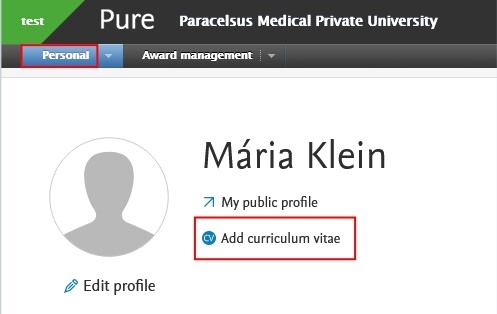
3. Select either Public or Private CV.
4. Select the information you want to show in your CV by checking the boxes with a tick. Click on Create.

5. Click on Save to finish the changes.
You can export your CV in either PDF or Word document format by clicking on the icon at the bottom of the right side.
If you have chosen a Public CV, you can manage the publishing of your CV by checking the box with the tick next to Publish.
