
3.4 Scientific events
Scientific events organized by or hosted at your clinic, insitujteinsitute or programprogramm
considered
scienctificallyrelevant data and are included in the Science Report.
To add an academic event that you participated in:
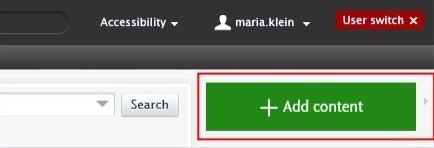
1. Click on Add content button:
Or click on the triangle next to Personal in the header, select Activities, and then click on the  button:

2. Select Participating in or organising an event, then select Organising a conference, workshop.
3. In the Activities editor window, you need to enter all available information about the item. The required fields (listed above) are marked with a red star and filling them in is mandatory. Filling in the other fields is optional.
1. Number of participants:
Select the correct category (range).
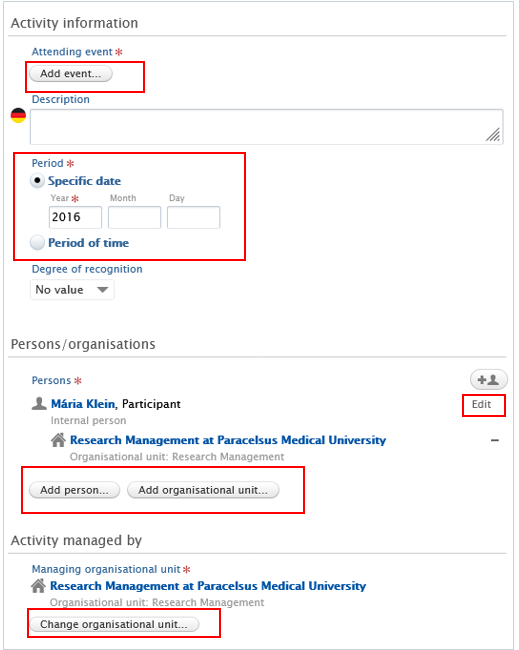
2. Attending event:
Search for/or add the title of the event.
3. Period:
Select if the event will take place on a specific date (for example 2024/03/15) or a period of time (for example 2024/03/15-2024/04/10). Fill the information about the exact date(s) in.
4. Persons:
Pure automatically adds the content creator with the Organiser role, along with their organisational unit, to this field. Click on Edit on the right side if you wish to change your role or your organisational unit. By clicking on the Add person button (left corner) or the add person icon  (right corner) you can add other persons who are related to this activity. Click on Add organisational unit if you wish to register additional organisations.
Please note that at least one person must be assigned the role “Organiser”. (Other roles, such as “Participant,” are not considered).
5. Managing organisational unit:
Pure automatically adds the internal organisational unit of the content creator to this field. Click on Change organisational unit if you want to change the current organisational unit for another intern organisation.
6. Click on Save.