
2.4. Trusted Users
Trusted users have full access to the profile of the user who added them as a trusted user. A trusted user has the ability to assume control of your user account and perform all the tasks that you can within PURE, except for controlling other accounts with a trusted user status.
To add a trusted user:
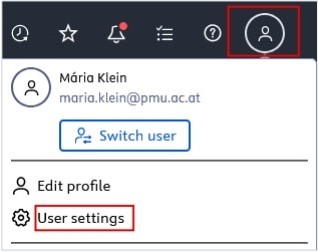
- Click on Profile menu in the header and select User settings:

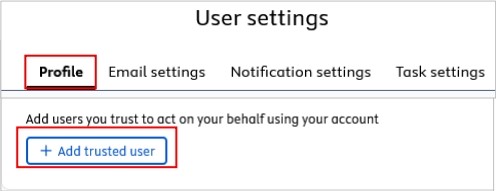
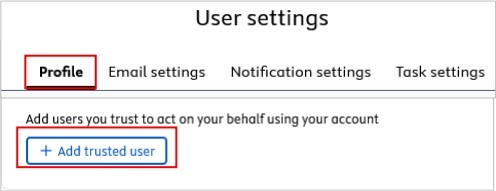
- Select Profile and navigate to Trusted Users. Then click on the Add trusted user button. Begin searching for the name of the trusted user you wish to add. You can add multiple trusted users.
- Click on Save.
Even if you add trusted user(s), you can still monitor any changes they make. These alterations are recorded in the Comments and History panel.
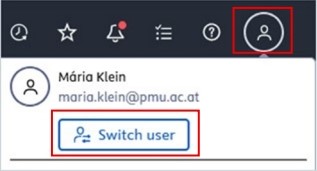
A trusted user can switch between their own profile and the profile of the user who added them as a trusted user by clicking on the Switch user button:
To remove a trusted user, click the x next to the trusted user's name.