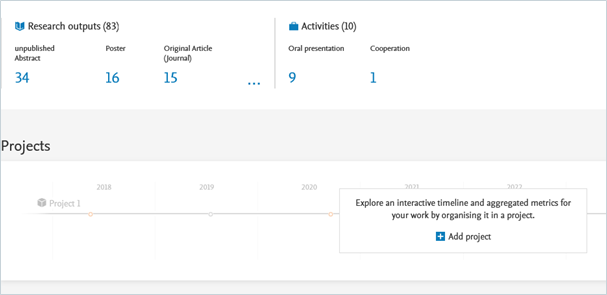
2.7. Personal profile
Under the Personal tab, you can manage a wide range of information associated with your researcher profile. For example, you can add name variants, profile photo, ORCID, research description, and positions held outside of the PMU. You are responsible for all the information included in your personal profile. We recommend providing as much information as possible in your Personal profile.
Here is an example how to manage your name variants, for example, names before marriage or multiple middle names. This field also serves to improve accuracy in automated publication search.
To manage your name variants:
- Click Personal in the header and go on Edit profile (located under the picture):


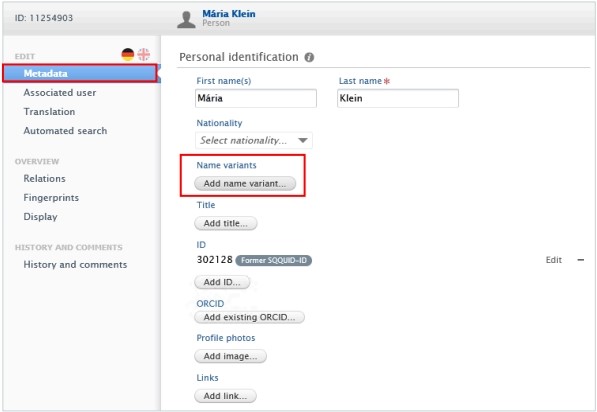
- Click on the Metadata tab in the left navigation.
- In the Personal Identification tab click on the Add name variants button to expand the Name variant area:
-
Enter the First Name and the Last Name you want to add, then click on Create.
Click on the minus icon to remove the names. Click on Edit to update the names.
- Click on Save.


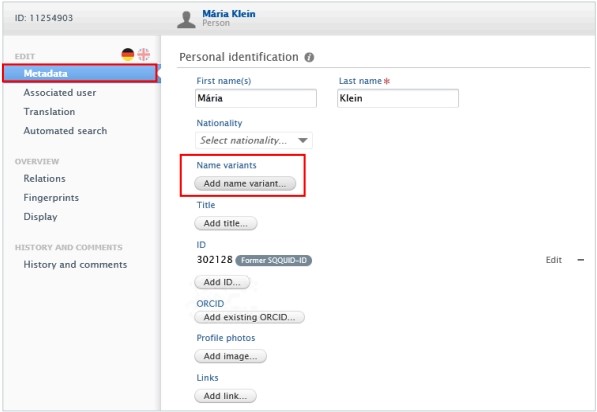
Your scientific work in numbers and graphs
Under your personal profile, your scientific work is visualized through numbers and graphs, including your research outputs, projects, research network, top co-authorships, and top organizational affiliations on research outputs.