
2.5. Language Settings
The language controls the language of the menu. The submission language controls the language of the data that will enter into Pure. It is your choice that the menu language and the submission language can be the same or different.
To change the language:
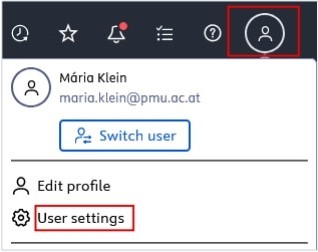
1. Click on Profile menu in the header and select User settings:
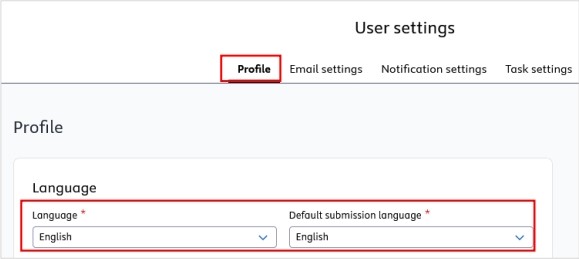
2. In the Profile tab select the language in the Language and or in the Default submission language field. German and English language options are made available by PMU:
3. Click on Save to apply the changes.
If you frequently enter content in both English and German, you can easily switch between the current submission languages by clicking on the flag  corresponding to your preferred language.